

1. Find out what speed you need
Fast broadband can sometimes be expensive, so we recommend avoiding paying for more bandwidth than you really need.
But on the other hand, you don’t want your connection to be too slow given your household’s speed needs, otherwise you will likely experience slowdowns or buffering when watching videos for example.
You can use our calculator to get an idea of the download and upload speeds you might need as a household.
2. List out your non-negotiables
There may be certain things you need included when buying a broadband deal, for example:
- A home phone service
- Pay TV, including certain channels, such as Sky Sports
- Extremely low latency (most relevant if you play very competitive online games)
- A monthly cost at or below a certain level
- Zero upfront fees
3. Consider your WiFi signal needs
If you have a smaller house or flat, it’s likely that basically any modern router sent to you by a broadband provider these days will perform well from a WiFi signal point of view.
However, if you have two stories, more than three bedrooms, or a renovated house with lots of brick internal walls, it might be a good idea to look for a broadband plan that comes with a more modern WiFi 6 or WiFi 7 router, or a tariff that includes WiFi extenders.
4. Decide whether you would use 4G/5G internet, or just want fibre
Some broadband deals we compare are delivered using 4G or 5G technology instead of in-ground cabling.
These deals are some of the cheapest on the market, and are very easy to get started with, but have a higher latency than fibre broadband.
Read more about the differences between fixed-line and mobile broadband.
5. Find providers available at your address
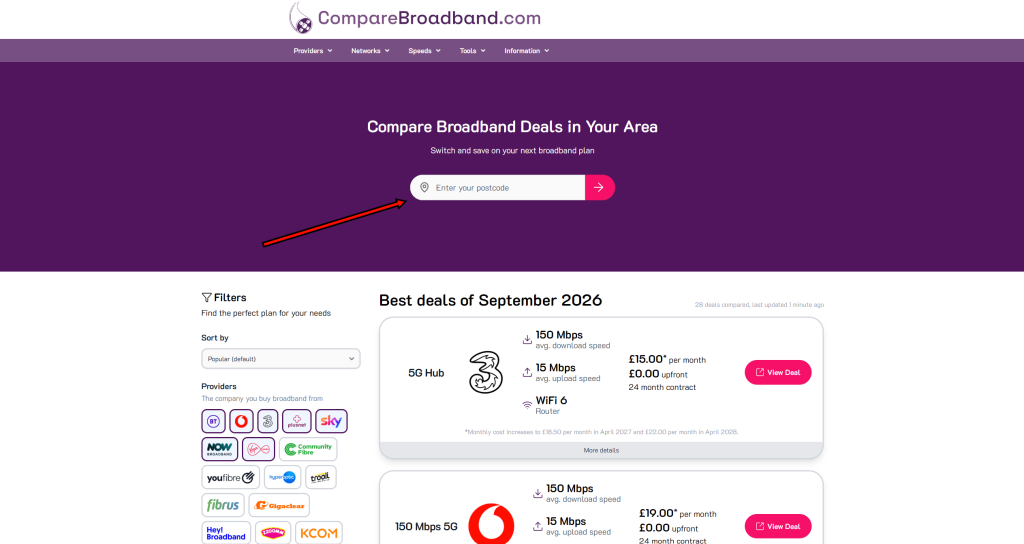
Put in your postcode on our homepage to view the broadband plans you can buy at your address.
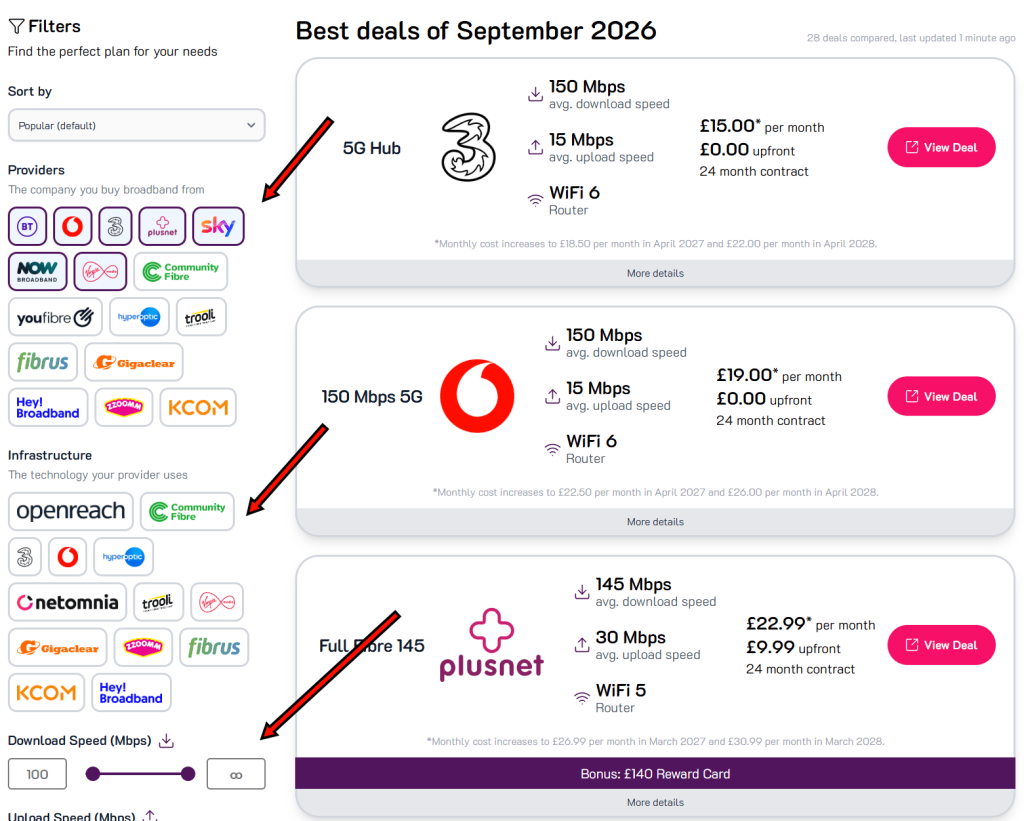
6. Filter out deals that don’t work for you
Using the filters on the left side of the screen, you can exclude deals that don’t meet your needs, based on factors such as their download and upload speed, monthly cost, and technology type.
7. Sort deals based on what is most important to you
Using the sort function at the top of the page, you can rank deals based on attributes such as their download speed, monthly cost, and upfront fee.
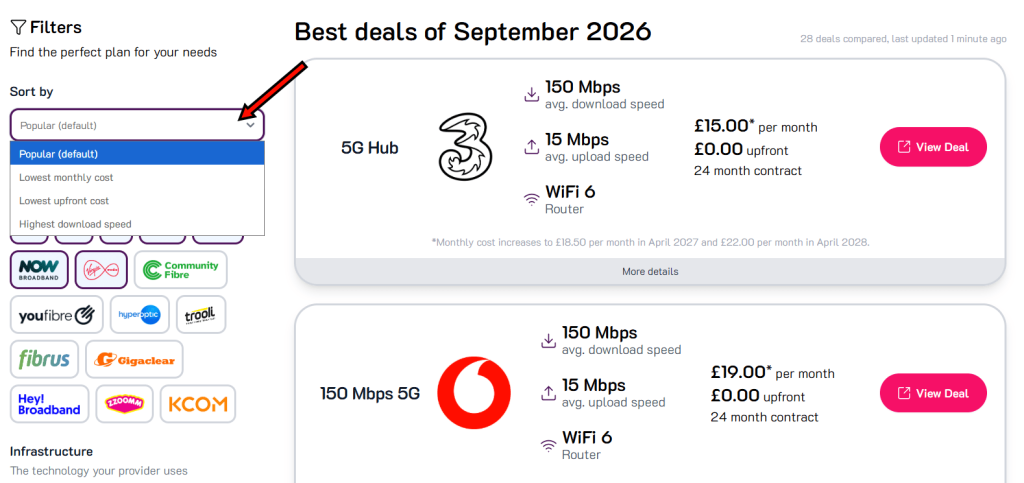
By default, deals are sorted by their popularity on our website, which is driven in large part by which has the lowest monthly cost.
8. Shortlist a few deals
At this point, you will have hopefully found a few deals that look like they might be a good choice, with a few different broadband providers.
Now, compare these deals in more detail, and look at the performance of the broadband providers you’re considering.
We recommend looking at our ratings of each provider, which you can do by clicking “More details” on a given deal.
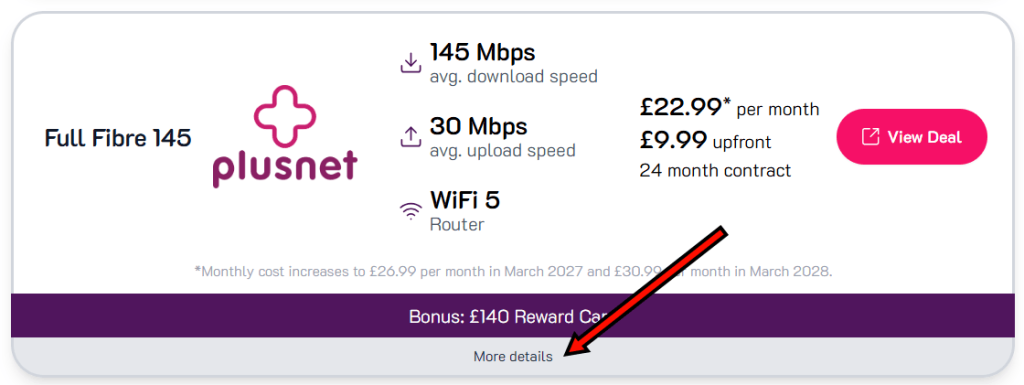
Once you click this, you will view more information about the given plan:
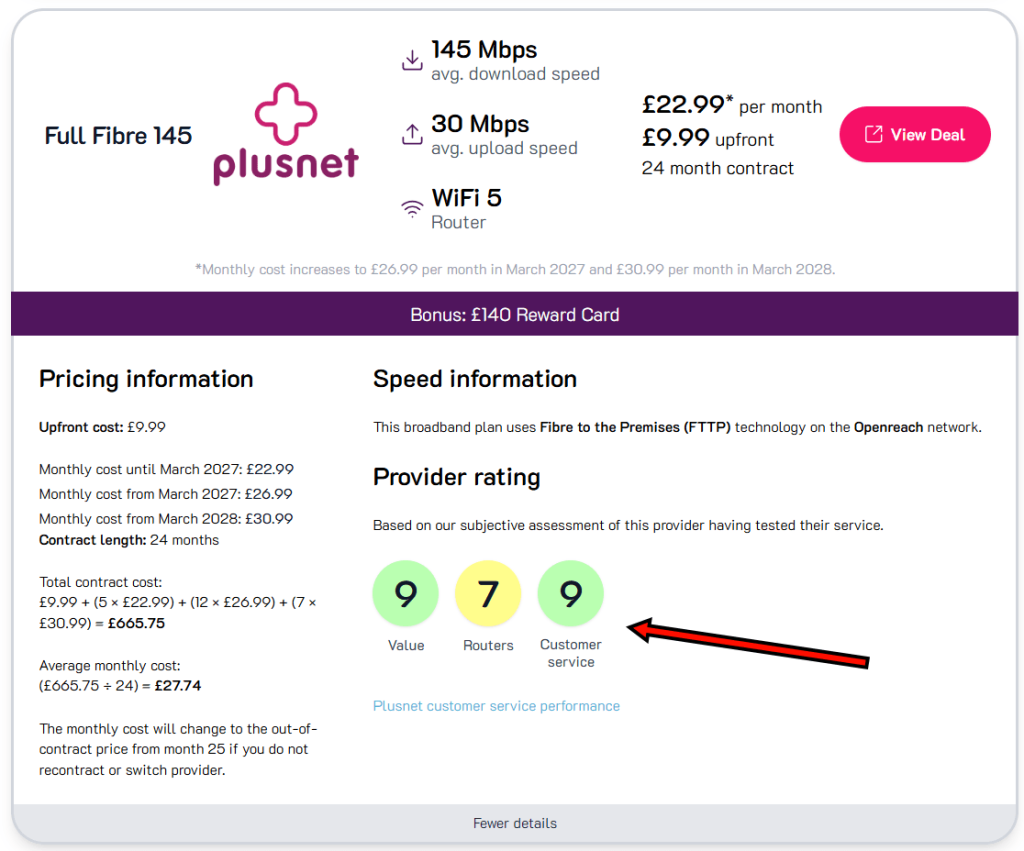
These are our subjective ratings of each provider’s performance in certain areas, such as how good their routers are.
For major providers, you can also click the “customer service performance” link to view Ofcom data about the relative number of customer complaints this provider receives about their broadband service.
You might also like to compare deals on your shortlist based on factors such as the WiFi router technology they include, and any bonuses or freebies on offer.
9. Review and purchase
Once you’ve decided on your favourite tariff, click “View Deal”, and you can place an order on the provider’s website.
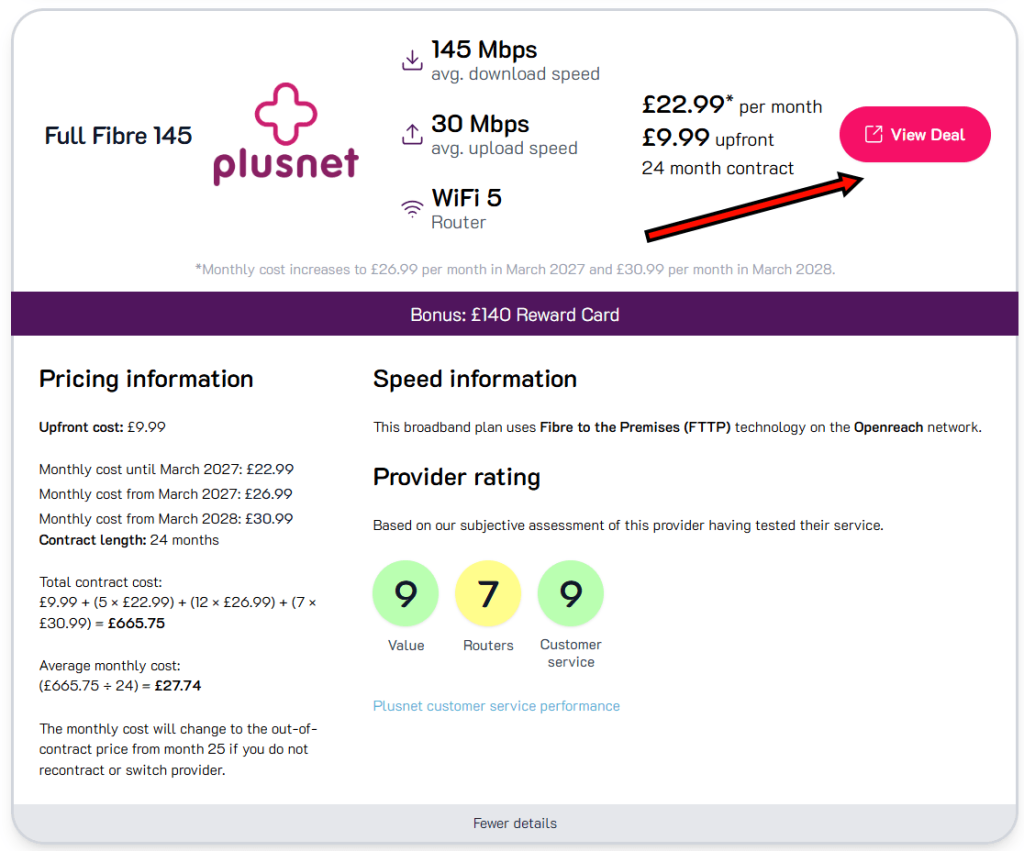
Make sure to double-check that the pricing and other details of the deal with the provider before completing the purchase.