



How does MiFi work?
Mobile Wi-Fi (MiFi) devices are small gadgets that create a portable WiFi hotspot to help you get online.
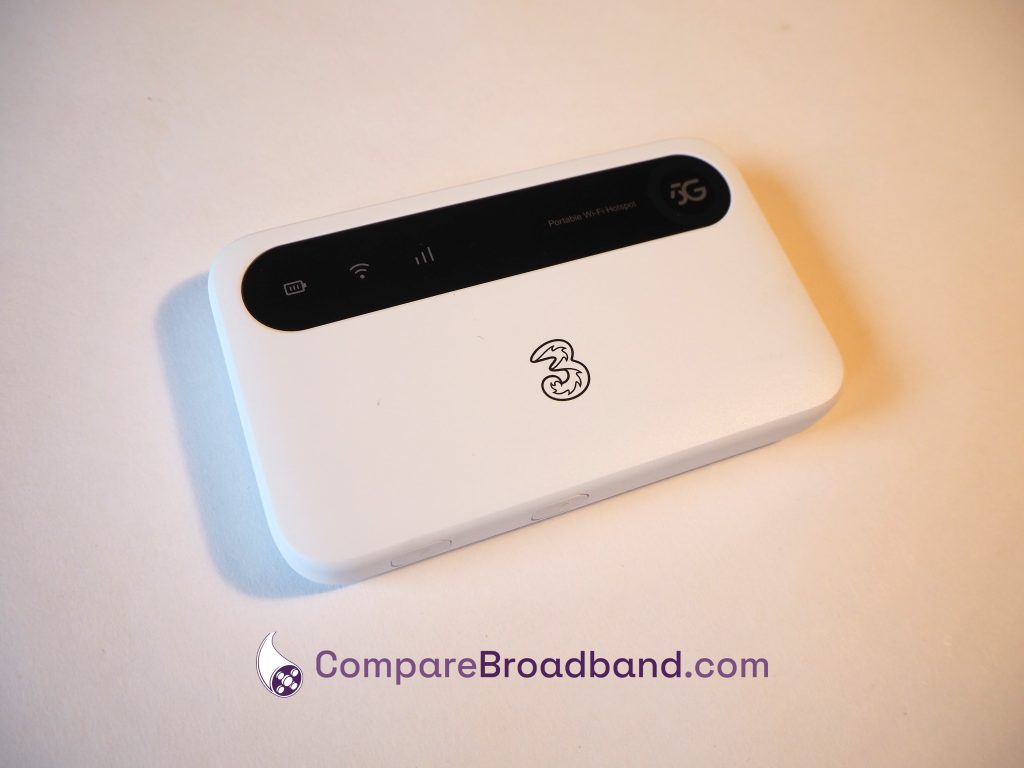
To establish an internet connection, MiFi devices take a SIM card, just like your phone, and connect to the 4G or 5G network.
They are battery-powered, meaning they don’t need a mains electricity connection, and can easily be used when travelling around the UK – unlike a regular broadband router.
When you buy a MiFi plan, you’ll receive a package in the mail with the device itself, a charging cable, and a data SIM plan you can use to get online.
What speeds will I get with mobile broadband?
The speeds on offer with MiFi devices can be quite variable.
In 4G areas, and with a 4G device, you can typically get a download speed of around 20-50 Mbps.
On the other hand, in 5G areas, with a 5G device, you might be able to get 100-150 Mbps or more.
Just note that some 5G MiFi plans are speed-limited, so you can’t always get the full speeds on offer from 5G in your area.
MiFi devices vs dongles
Dongles have historically been the main way to get online using mobile broadband, and they’re still sold today. However, they’re a bit different from MiFi devices.
While MiFi devices have a battery and create a WiFi network, dongles plug into your computer’s USB port, and allow you to get online on just that device.
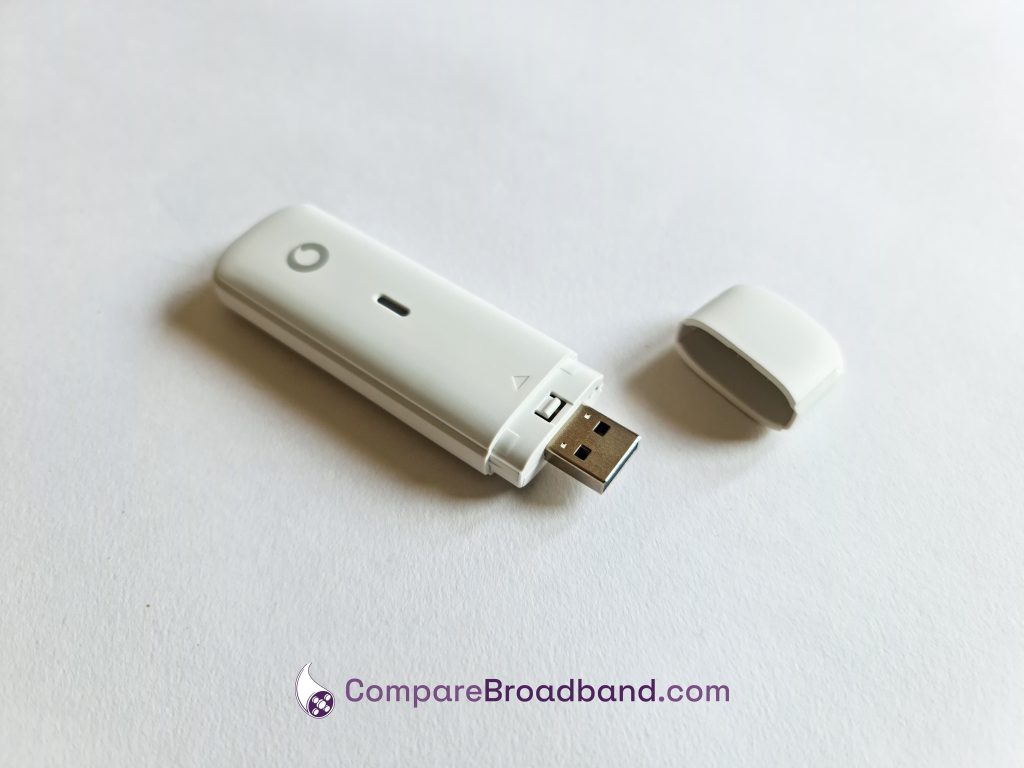
Both types of tech take a SIM card and use the 4G or 5G network to get you online, but MiFi is better if you want to get online on more than one device at once, or on phones and iPads – not just computers.
Can I use mobile broadband as a replacement for fibre?
You can use mobile WiFi as your main way of getting online at home.
However, there are some pros and cons to doing this it’s important to keep in mind.
MiFi can be a very convenient, flexible way to get online, often with no long-term contract needed.
It can also be a lot cheaper than using fibre broadband in many parts of the UK.
The main issue is, your WiFi signal and speeds won’t be as good as with a proper broadband router. Meaning, MiFi isn’t the best choice if you want to get online on lots of different hardware at the same time – though it can still handle things like TV streaming on one or two devices at once.
If you want to get online without using fibre, you might be better off with a proper 5G internet connection, rather than using MiFi.
Which mobile network should I use?
In terms of UK-wide signal and speeds, EE is typically the best network overall, on both 4G and 5G.
However, their mobile broadband deals are very expensive, and they often have speed caps, so they’re not always the best choice.
Vodafone has similar issues with speed limits, and doesn’t have as good 4G coverage as EE, but can offer good value. They’re also one of the few networks to offer a dongle, if this is the type of device you want to use.
In most cases though, we think that Three is the best mobile network for mobile Wi-Fi.
They’re normally the cheapest provider on the market, and have really fast 5G speeds.
Their ZTE 5G MiFi device is a really good bit of kit, and they also offer good 4G signal and speeds as well.
How much monthly data do I need?
Fortunately, many mobile broadband devices sold these days come with unlimited data.
However, some plans have monthly data usage caps.
If you’re considering one of these cheaper, usage-restricted plans, you might be wondering how much data you really need.
- If you’ll be using mobile broadband as your main way of getting online at home, having unlimited data is generally a good idea, especially if you often do data-intensive online activities, such as streaming video.
- If it’s only two or three people online, and you don’t use the internet for more than 2-3 hours per day, you might be able to get away with a 100-200GB monthly data limit.
- If you only use the MiFi device occasionally, such as when travelling, a 50-100GB data limit should be plenty, or less if it’s only one or two people getting online for a few days a month.
- If you only use the MiFi device occasionally, and only for web browsing, reading emails, and a bit of social media, a 5-10GB monthly limit should be enough in most cases.
How to set up a MiFi device
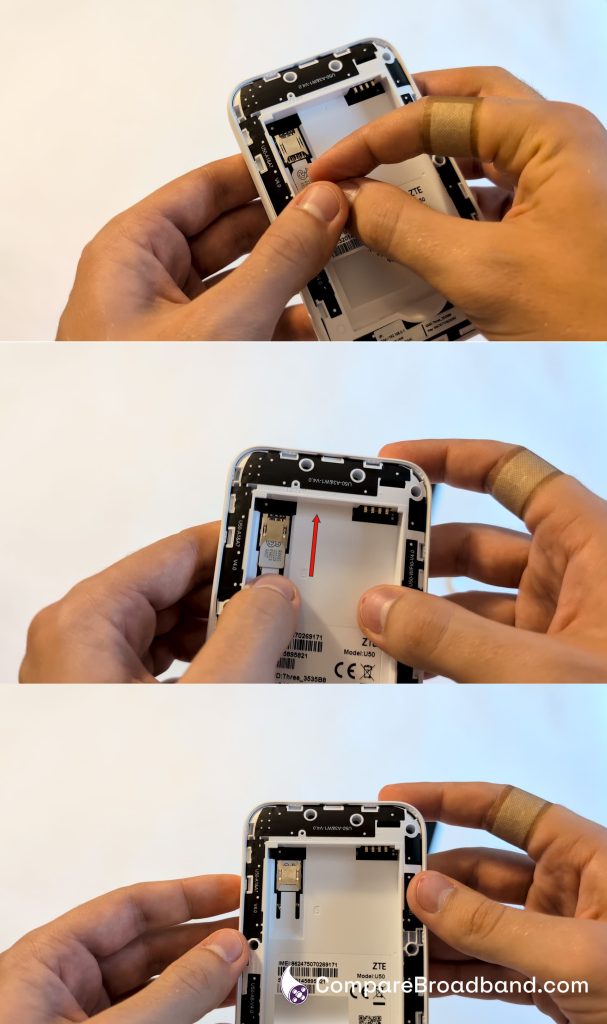
Once you receive your WiFi plan, the first thing to do is normally to insert the SIM card into the device.
To find the SIM slot, you’ll generally have to take the back cover off the MiFi hotspot, which is usually held in place with plastic clips, with a corner you can pry up from.
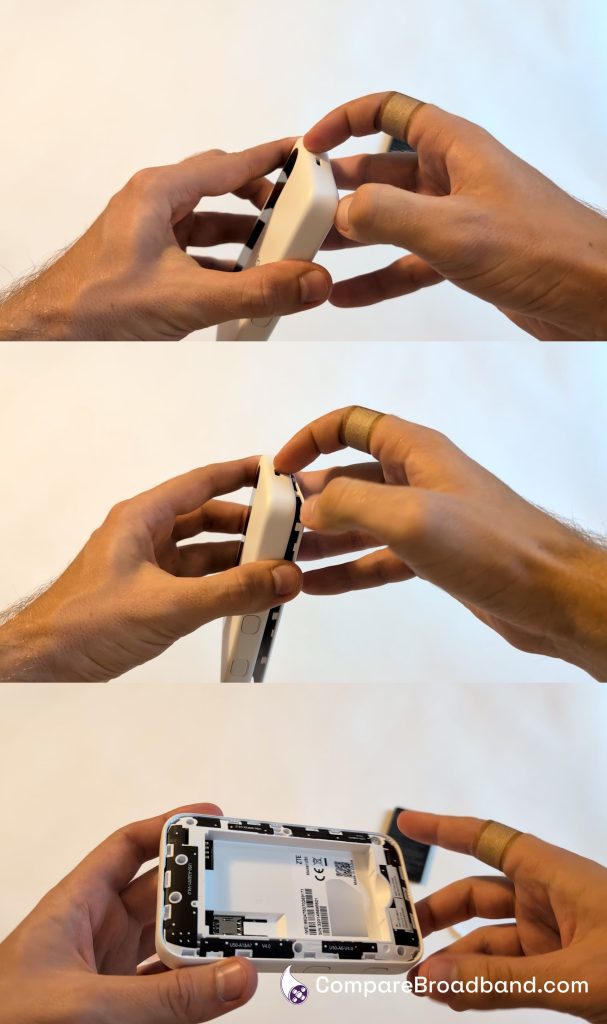
Be careful to punch out the right size of SIM card for the device’s SIM slot, then insert it into position.
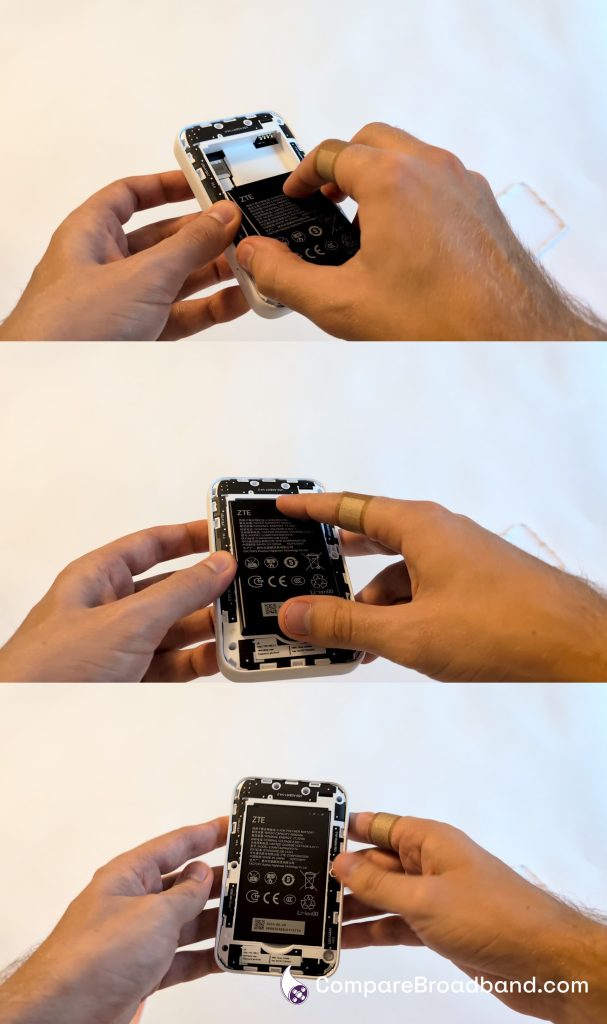
Next, install the battery in the device. It usually has a space you can easily put it in, but make sure it’s the right way around when doing so.
There are usually contacts on the battery and inside the device you can match up, to ensure it’s in the correct position.
Then, put the cover back on the device, and hold down the power button for a few seconds. The MiFi hotspot will then turn on, assuming it has charge.
At this point, the device will take a few minutes to connect to the mobile network and create a WiFi hotspot. Then, you can log into the wireless network, and begin getting online.